Dismiss this alert.
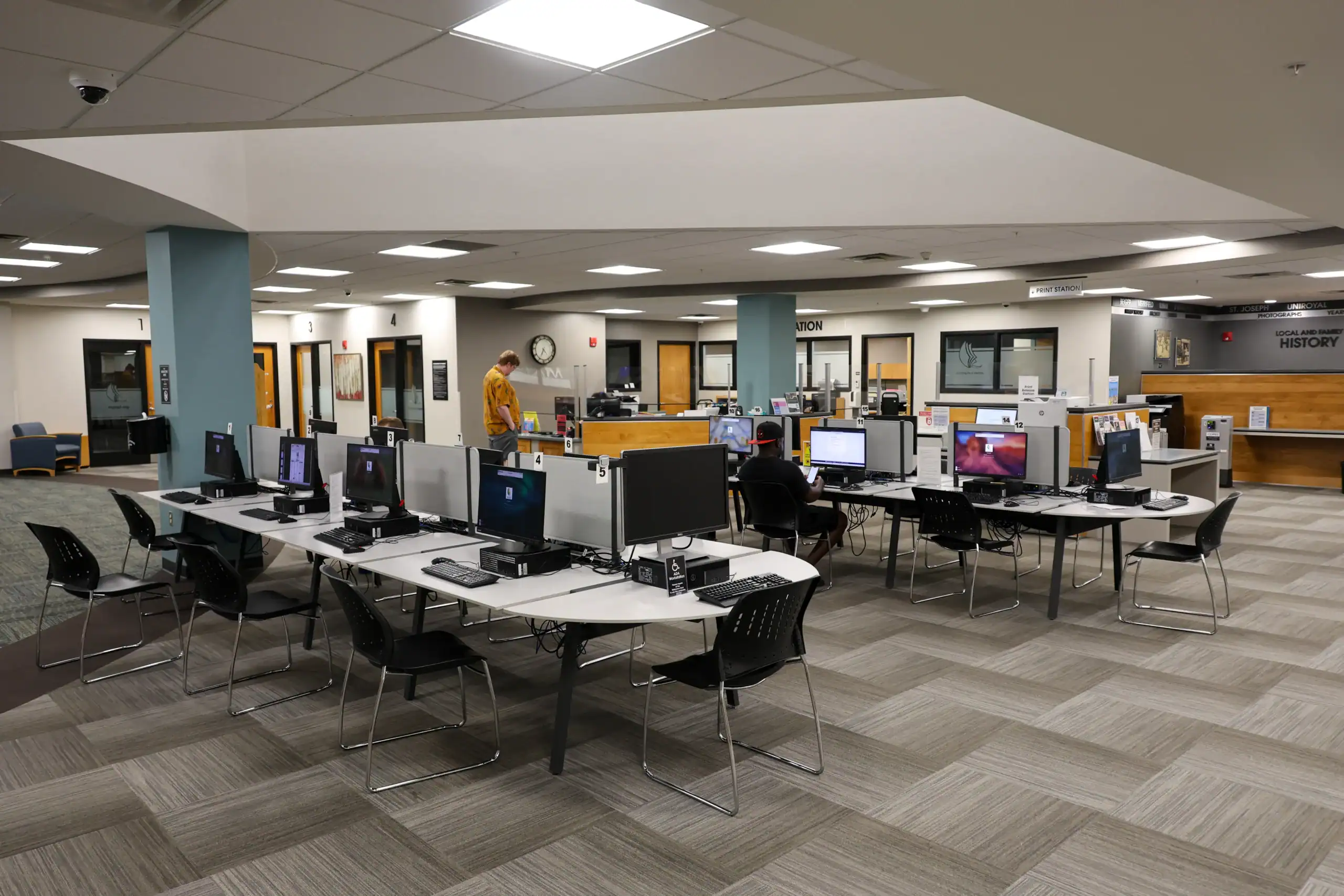
MPHPL offers a variety of technology services for patrons and visitors including desktop computers, copying, faxing, printing and WiFi at all locations. Staff are available to assist patrons in the basic use of our equipment.
Patrons using the computers and WiFi must agree to MPHPL’s Computer Use Policy.
For more in-depth technology questions, appointments can be made through our Tech Assistance service.
Available at the Mishawaka Library, our family-friendly lab is designed for parents with young children. Check-in at the Reference Services desk is required. The space is equipped with a computer for the parent and books and toys for the child. Parents can use the family-friendly lab without having to hold their child while typing or worry about them wandering out of sight.
Children’s Area
Teen Area
Adopted: January 1, 2025
Amended: January 2, 2025
(1) abide by library computer policy standards as defined herein;
(2) have a basic knowledge of how to use computers.
Patrons who access networks or facilities not owned by the Library must adhere to the policies and procedures established by the administrators of these networks and facilities. (Patrons can usually obtain these from the network information center of the network in question.)
The Library will treat information stored on library computing resources as confidential whether or not that information is protected by the computer operating system. Requests for disclosure of information will be honored only based on the approval of the appropriate library administrator under one of the following conditions:
Patrons will receive prior notice of such disclosures when appropriate. Viewing information in the course of normal system maintenance does not constitute disclosure.
Patrons using library computer systems including work stations, electronic mail or the internet should be aware that their personal or sensitive information is at risk. While the library respects the confidentiality of patrons’ information, other third parties could compromise that data by “shoulder surfing,” hacking into a device or account, or otherwise gaining unauthorized access. In addition, files saved on library computing resources may not be secure and could be deleted by other patrons or by the library at any time.
The patron shall responsibly use the tools the library makes available to maintain the security of the patron’s own data and information on each computer system.
The patron should use a complex and hard-to-guess password for any personal accounts and change them frequently. Computer account names or numbers, user names, passwords, and other credentials should not be shared with others.
To avoid becoming victims or distributors of computer viruses and other destructive programs, patrons should not click on links or attachments in “phishing” emails, visit suspect websites, download unknown files, or run unauthorized software applications.
Ultimate responsibility for resolution of problems related to the invasion of the patron’s privacy or loss of data rests with the patron. The Library assumes no liability for loss or damage to the patron’s data or for any damage or injury arising from invasion of the patron’s privacy.
The Library endorses the practice of cooperative computing. Users must refrain from the following:
Library computing resources must be used for legal purposes only. The following activities are not permissible:
Library computing resources must be used in accordance with the ethical standards of the Library. Examples of unacceptable use include, but are not limited to, the following:
Violators of MPHPL computer-use policies may have their computer privileges suspended or revoked at the sole discretion of the Library Administration.
The following violations will result in immediate suspension or termination of computer and/or library privileges.
Children may receive two hours of computer use per day. A valid library card and parental permission is required.
Use of computing resources, including Wi-Fi, to display or disseminate sexually explicit or sexually suggestive (obscene/pornographic) material
Vandalism and other illegal acts involving library computing resources may be subject to prosecution by local, state, or federal authorities. If a patron’s misuse causes damage to library property or equipment, penalty fines will be assessed at the cost of repair or replacement (including labor) and reinstatement of library privileges will not be considered until financial restitution is paid.
Since the Internet is a global electronic network, the Library does not control internet users or content. The Internet and its available resources may contain errors or material of a controversial nature. The Library cannot protect patrons from all offensive information. Parents of minor children must assume responsibility for their child’s use of the Internet through the Library’s connection. The Mishawaka-Penn-Harris Public Library assumes no responsibility for any damage, direct or indirect, arising from use of its WWW Server or from its connections to other Internet services.
LIMITATIONS OF LIABILITY All patrons who wish to use the Library’s computing resources are required to click on “I Agree” to the following Limitation of Liability statement:
LIMITATION OF LIABILITY
By logging onto this computer, you (the user) acknowledge that you have read and understand the Mishawaka-Penn-Harris Public Library Computer Usage Policy and that you agree to fully comply with all terms, conditions and requirements stated herein. You acknowledge and agree that any violation of the Policy may result in suspension or revocation of Library privileges at the sole discretion of the Library Administration. The user also acknowledges that the Mishawaka-Penn-Harris Public Library assumes no liability for any loss or damage to the user’s data or for any damage or injury arising from invasion of privacy in the user’s computer accounts, programs, or files. In consideration for use of Library computer resources, you (the user) agree to hold harmless and indemnify Mishawaka-Penn-Harris Public Library, its directors, officers, administrators, employees and agents, from any and all liabilities for any claims, demands, and damages to your person or property whatsoever
Free WiFi is available in the library, courtyards and parking lots. There is no password required to connect.
Have a question about computer access or technology services? Give us a call or click the button below to get in touch.